How to Decide What Content to Create: A 7-Step System That Starts With Your Website
Quick Summary
7 min read- 01
Short answer: stop guessing. Your customers already tell you what to make. They type it into search bars, ask it in chat boxes and say it on sales calls. Start with your own website, make...
- 02
Social platforms are rented land. The rules change, and your reach can disappear overnight. Your website is the one place you own.
- 03
So treat it as home base. Every post, every video and every comment should lead people back to it. And everything you learn there, what people search, what they click, what they ask, should...
- 04
If your site is slow, confusing or hard to contact you from, fix that before you publish more. A website built to turn visitors into calls makes every piece of content worth more.
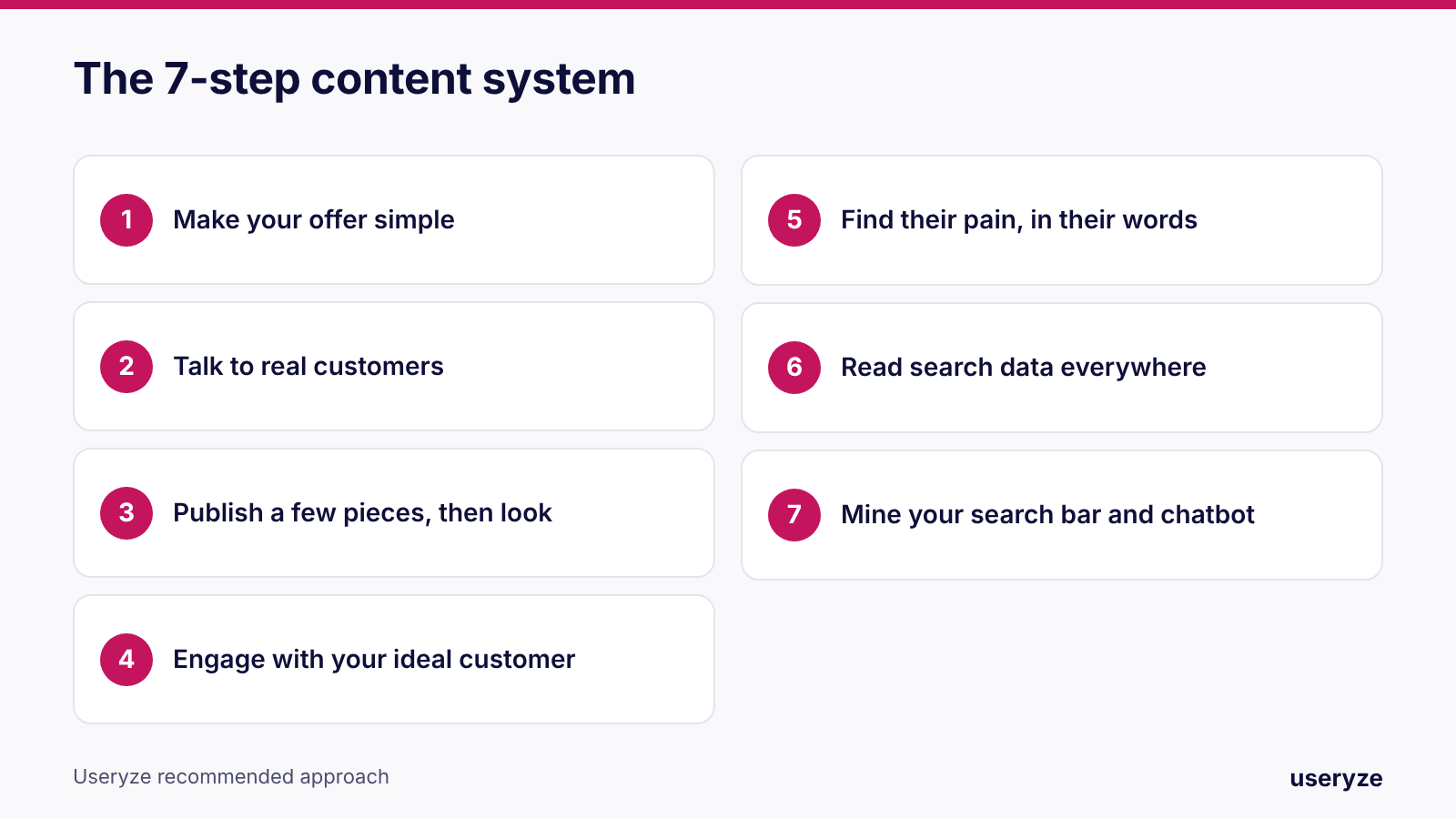
Short answer: stop guessing. Your customers already tell you what to make. They type it into search bars, ask it in chat boxes and say it on sales calls. Start with your own website, make your offer simple, then turn what people search for and ask into posts, videos and pages. Here is the seven-step system we use.
01Why your website comes first
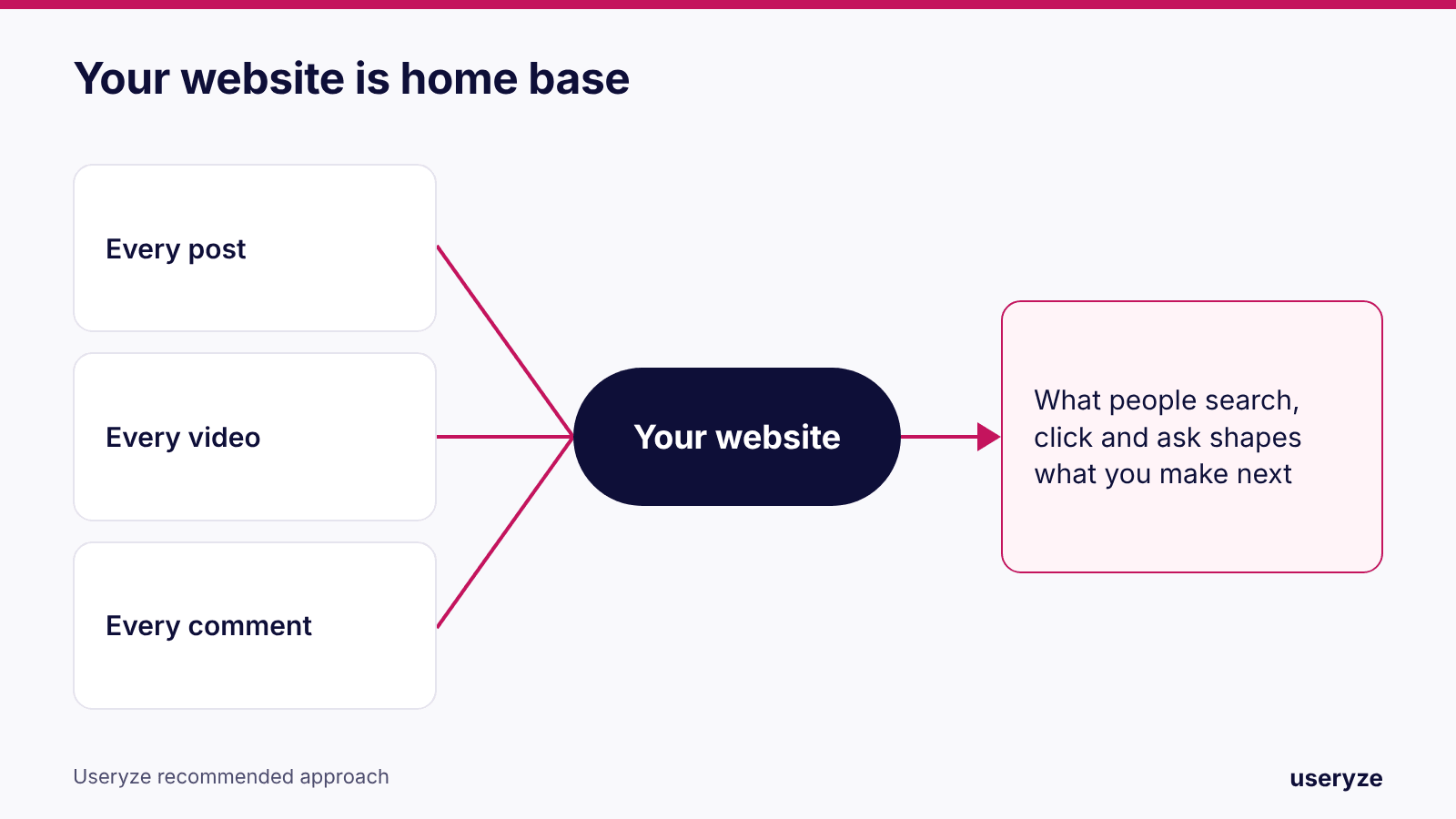
Social platforms are rented land. The rules change, and your reach can disappear overnight. Your website is the one place you own.
So treat it as home base. Every post, every video and every comment should lead people back to it. And everything you learn there, what people search, what they click, what they ask, should shape what you make next.
If your site is slow, confusing or hard to contact you from, fix that before you publish more. A website built to turn visitors into calls makes every piece of content worth more.
Step 1: Make your offer simple
Before you create anything, get clear on three things:
- What you sell
- Who it's for
- Why you, instead of someone else
Then say it in one sentence a twelve-year-old could repeat. A template that works: "We help [who] get [result] with [what you sell]."
If people can't understand your offer in five seconds, more content won't fix it. It will just spread the confusion faster.
Step 2: Talk to real customers
Not a survey. Actual conversations. Write down what they say, in their exact words:
- What confused them?
- What did they ask first?
- What almost stopped them from buying?
That feedback does two jobs. It tells you what to improve in the product. And every lesson is a post: "We heard this question five times this week. Here's the answer." That is content people actually want.
Step 3: Publish a few pieces, then look
Put a few pieces on your site and on social. Then stop and look:
- How are people reaching you? Search, social, a link from another site, or typing your name.
- What did they search right before they landed?
- Who are they? What do their profiles say about their job, their business and their problem?
You are not looking for big numbers yet. You are looking for patterns.
Step 4: Engage with your ideal customer
Do this at the same time as step three. Comment on their posts. Answer their questions. Join the conversations they are already in.
This does something most people miss: it teaches the platform who your content is for. The algorithm watches who you talk to and who talks back. That is how you build an audience of buyers, not just followers.
Step 5: Find their pain, in their words
Listen for three things: what people search for, what hurts right now, and the words they use to describe it. The words matter most.
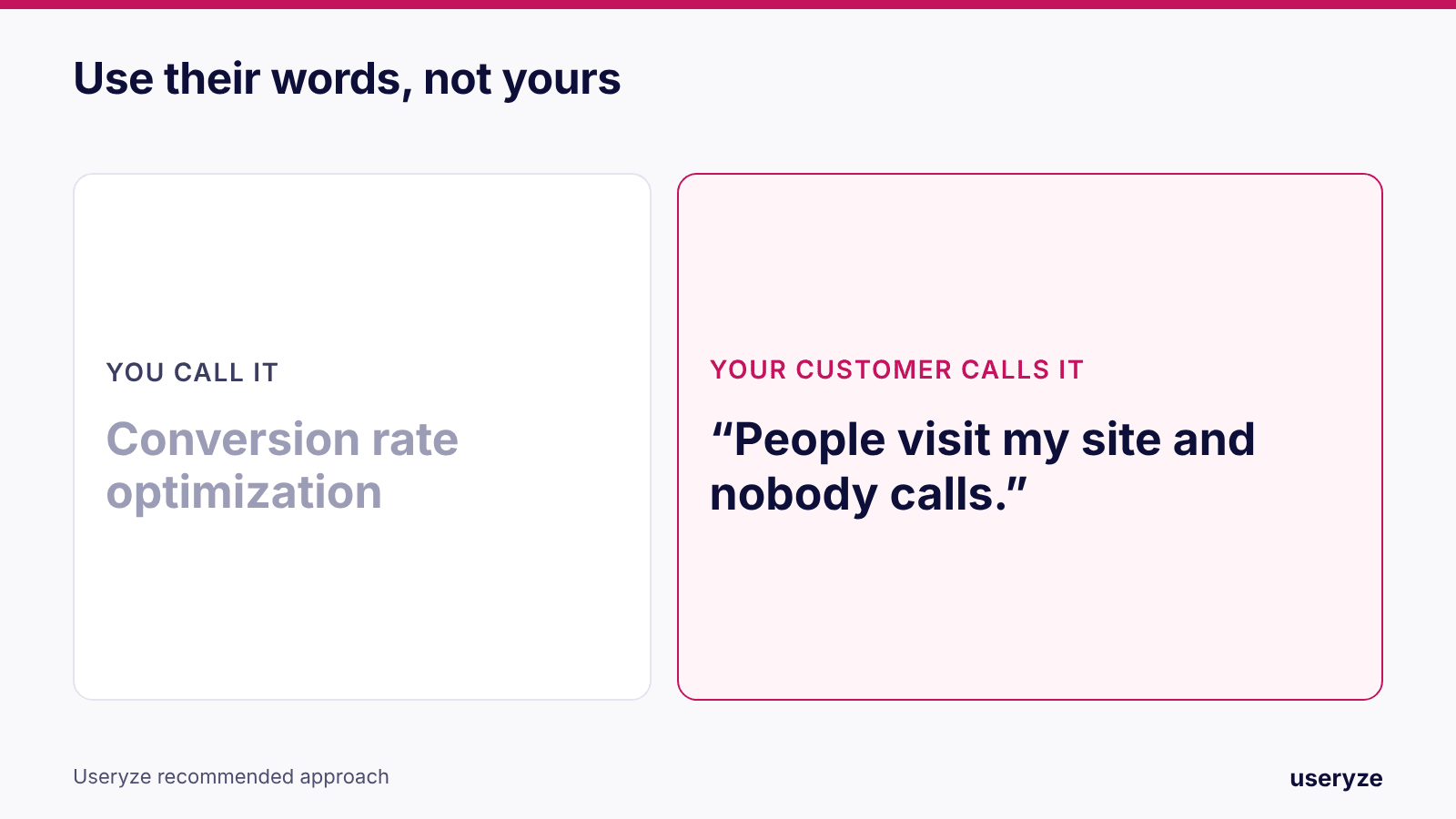
You might call it conversion rate optimization. Your customer calls it "people visit my site and nobody calls." Use their words in your headlines, your posts and your pages.
Then answer each pain point with a simple fix, a clear example, and a real case study when you have one. If that particular pain is yours, our conversion optimization work starts with the same question.
Step 6: Read search data everywhere
Run the same exercise wherever people search:
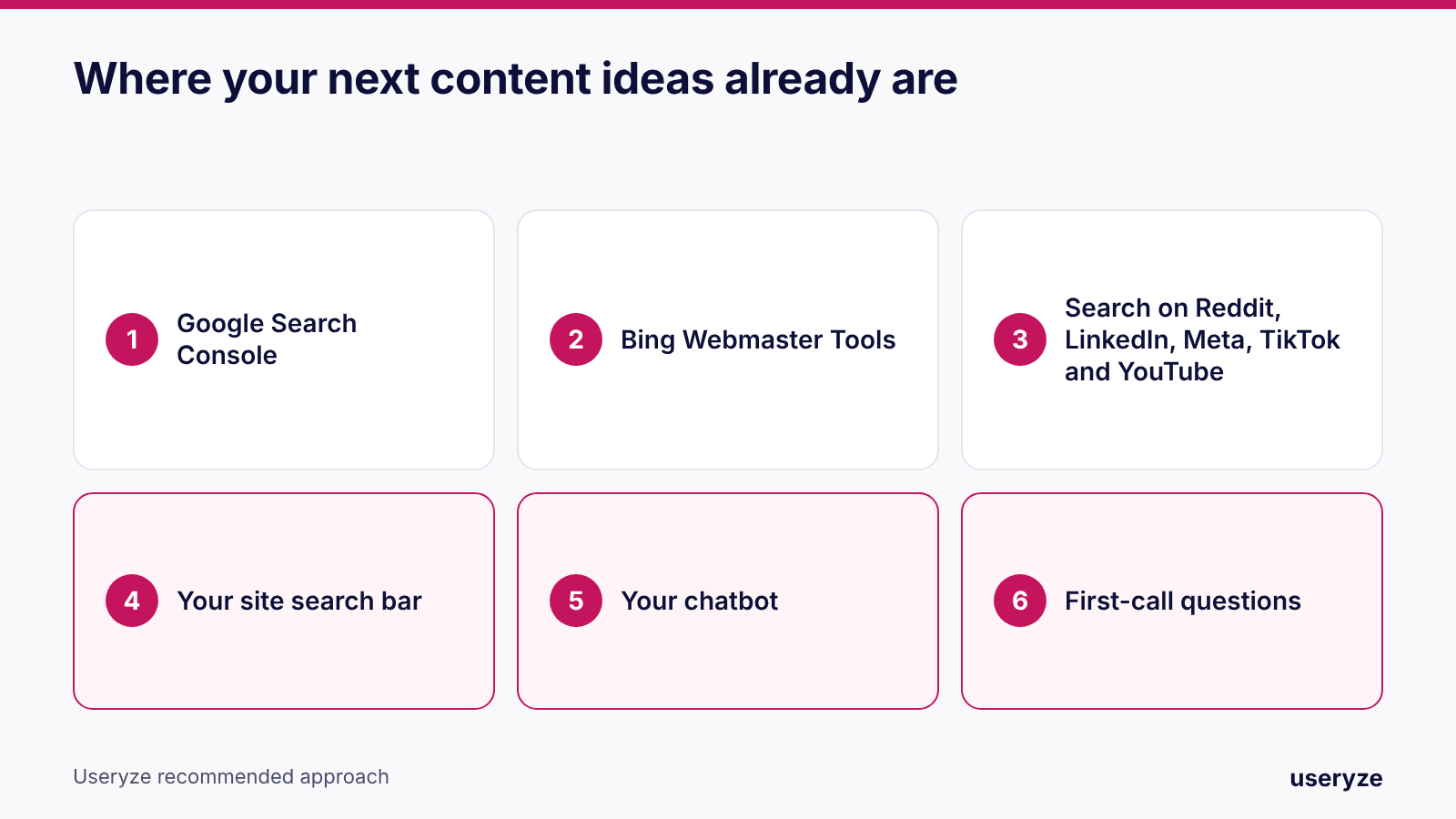
- Google Search Console shows the exact phrases that bring people to your site. It is free.
- Bing Webmaster Tools does the same for Bing.
- Reddit, LinkedIn, Meta, TikTok and YouTube each show what people look for on that platform.
Ask one question of all of it: where is our organic traffic really coming from? Then turn those search terms into blog posts, videos and new ideas. You are no longer guessing what to write. You are answering questions people already asked.
Two things make this pay off faster. Being easy to find nearby, which is local SEO. And being the business that ChatGPT and Google's AI answers recommend, which is AI search visibility. Both run on the same thing: clear answers to real questions.
Step 7: Mine your own search bar and chatbot
Once you have traffic, this is the gold mine.
Your site search bar. Every search is a visitor telling you, "I came here for this, and I couldn't find it." That is a content idea handed to you for free. Searches with no results go to the top of the list.
Your chatbot. Read what people type into it. Those are the questions they were too busy, or too shy, to ask a person. Each one is a page you should have, or an answer you should make easier to find.
One rule: stay in your lane
Everything you post, and everyone you reach out to, should match two things: what your brand stands for, and what your customers are actually asking. If a trend doesn't fit both, skip it.
Where AI agents help
That is a lot to track by hand. This is where a small team of AI agents earns its place:
- One collects the data: search terms, site searches, chatbot questions and comments.
- One turns those signals into content ideas. We explain how we use two AI models to pressure-test ideas in this guide.
- One watches how visitors behave on the page and where they drop off.
- One looks at the leads: which visits turn into leads, which leads are a good fit, and what people ask on the first call.
Those first-call questions go straight back into your landing pages and your messaging. If you want this built for you, see how our AI agents work.
The loop
Learn what people search for. Make something useful. Watch what happens. Improve the content, and improve how you decide. Do that every week and you stop guessing. Your customers write your content plan for you.
A 30-minute start for this week
- Write your one-sentence offer and read it to someone outside your business.
- Open Google Search Console and copy the top 20 queries.
- List the last five questions customers asked you.
- Turn the question you heard most into one post and one short video.
- Check what people typed into your site search or chatbot last month.
How we can help
We build this system for businesses: the plan, the tracking and the content itself. Start with content marketing if you want it done for you, lead generation if the goal is more inquiries, or CRM and follow-up if leads come in and go cold.
You can also watch the full video page with chapters.
Frequently asked questions
How do I decide what content to create?
Start with what customers already ask. Look at the search terms that bring people to your site, searches on your own site, chatbot questions and first-call questions. Answer those, in their words.
Why start with my website instead of social media?
You own your website. On social platforms you rent attention, and the rules and reach can change without warning. Use social to lead people back to the site.
I have almost no traffic. Where do I start?
With steps one and two. A clear offer and five real customer conversations will give you more good ideas than any tool.
What if my website has no search bar or chatbot?
Use Google Search Console and your own inbox first. Add site search once you have enough pages that visitors need it.
How often should I do this?
Weekly for the quick review, monthly for the full pass through all seven steps.
Free growth plan
Turn this into more customers.
We run marketing, video and AI follow-up for owner-led businesses. Tell us about yours and we will show you the three fixes that matter most.
Keep reading
- Payload CMS for Multi-Location Restaurants: One Content Hub, Local Pages That RankHow multi-location restaurant groups use Payload CMS as one content hub: shared menus and brand, local pages that rank on Google Maps and AI search, and fast updates without developer tickets.
- YouTube for Local Business 2026: How Videos and Shorts Win Trust, Search and AI AnswersHow local businesses use YouTube in 2026: answer videos with chapters, Shorts, embeds on service pages and the videos AI answers cite.
- Small Business Website Guide 2026: How to Turn Visitors Into Calls and BookingsHow to turn website visitors into calls and bookings in 2026: speed, service pages, pricing, proof and fast replies. Part 2 of The Art of Organic Growth.